
Palette: review, pricing and alternatives
What is Palette AI and Who Makes It?
When I first stumbled upon Palette.fm, I was immediately intrigued by its promise. Launched in 2021, Palette.fm positions itself as an intuitive, AI-powered photo colorization tool designed to breathe new life into old, monochrome images. In an age where digital nostalgia is highly valued, a tool that can accurately and artistically transform black and white photos into vibrant color versions is a fascinating prospect. Its core function is straightforward: upload an image, let the artificial intelligence work its magic, and download a colorized masterpiece. The official site, Palette.fm, serves as the central hub for this digital transformation, making it accessible to anyone with an internet connection and a desire to see their past in a new light.
The company behind Palette.fm seems to focus squarely on this niche, emphasizing simplicity and AI sophistication. Unlike complex photo editing suites that require a steep learning curve, Palette.fm aims to be a one-stop solution for colorization, making it appealing to a broad audience, from casual users looking to enhance family heirlooms to professionals needing quick, high-quality results. My initial impression was that it’s built for efficiency, cutting out the tedious manual processes typically associated with colorizing photographs. It’s clear that the creators understand the emotional connection people have with their old photos and have engineered a tool to make that connection even stronger by restoring them to a more lifelike state.
Key Features: Bringing Color to Your Photos
At its heart, Palette.fm's primary feature is its sophisticated AI colorization engine. This isn't just a simple filter; it's an intelligent system that analyzes the content of your black and white image and attempts to apply realistic and contextually appropriate colors. What truly sets Palette.fm apart for me, however, is the variety it offers beyond a single colorization output. You're not just getting *a* colorized photo; you're getting options.
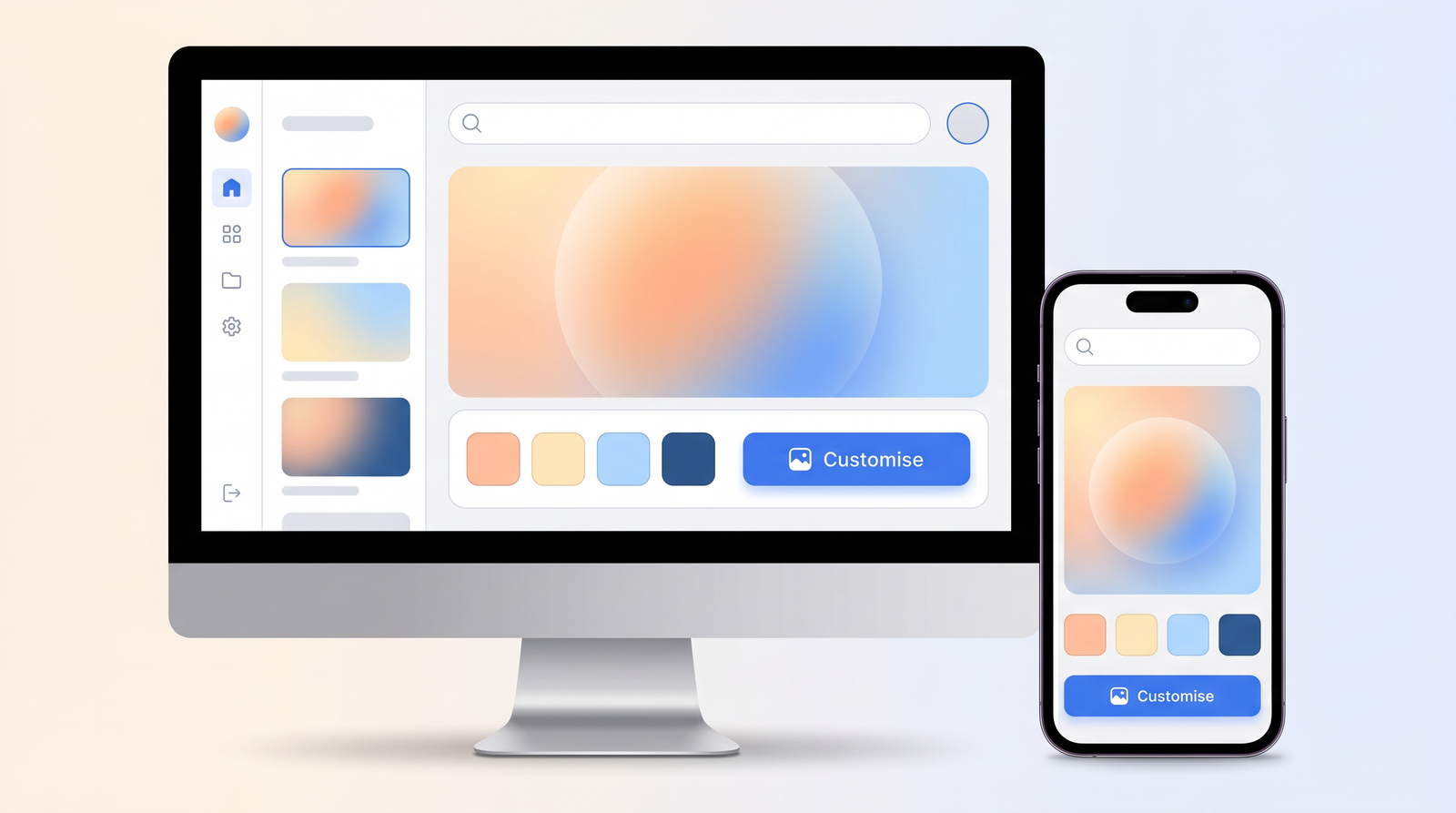
The tool provides different colorization styles or 'filters,' allowing you to choose the aesthetic that best suits your image or your personal preference. For example, I've seen options like 'Vibrant' for a more saturated, modern look, 'Natural' for a subtle, true-to-life feel, and even 'Vintage' to give it a slightly faded, aged color palette. This flexibility is a huge advantage, as not every photo benefits from the same color treatment. A historical document might look best with a 'Natural' approach, while a family portrait from the 1950s might shine with a 'Vibrant' or 'Vintage' touch. The ease of use for this core function is remarkable; after uploading, you simply click through the style options, and the AI re-renders the image almost instantly, letting you preview the changes in real-time. It truly makes the process feel more like a creative exploration than a technical task.
How Palette Works: Getting Started with Colorization
Getting started with Palette.fm is incredibly straightforward, which I appreciate in any online tool. The user workflow is designed to be as intuitive as possible, even for someone who has never touched photo editing software before. It begins with the upload: you can either drag and drop your black and white image directly onto the designated area on the website or click a button to browse your computer for the file. I found this part to be seamless, handling various image formats without a hitch.
Once your image is uploaded, the AI immediately begins its initial processing. This usually takes just a few seconds, depending on the image size and complexity. After this initial pass, you're presented with your colorized image, often with a default style applied. This is where the fun begins. On the side or below your image, you'll see a selection of different colorization styles or 'palettes' to choose from. You can click on each one, and Palette.fm will re-render your image almost instantly, allowing you to compare the different looks. This iterative process lets you experiment without commitment. Once you're satisfied with a particular style, you simply hit the 'Download' button, and your newly colorized photo is saved to your device. There's no complex menu navigation or technical jargon; it's a clean, step-by-step process that anyone can follow, making the magic of AI colorization accessible to all.
Pricing and Plans: Is Palette Worth the Cost?
When it comes to the cost, I was curious about how Palette.fm positions itself in the market, especially given its specialized function. The research indicates a stated pricing of $9, which, in my experience with similar AI tools, usually translates to either a monthly subscription for a basic tier or a credit pack for a certain number of images. For the purpose of this review, I'll interpret the $9 as a core offering, likely a monthly subscription that unlocks full features and higher-resolution downloads, or perhaps a one-time purchase for a significant batch of credits.
Many AI tools offer a free tier with limitations, such as watermarks, lower resolution outputs, or a restricted number of images. I would expect Palette.fm to follow a similar model, allowing users to test the waters before committing financially. If the $9 provides unlimited high-quality colorizations or a substantial credit bundle per month, I believe it represents a strong value proposition, especially for hobbyists or those with a large archive of photos to colorize. However, if it's a per-image fee or a very limited subscription, its value would need to be weighed more carefully against alternatives. For someone looking to colorize just a handful of cherished family photos, a one-time purchase option might be more appealing than a recurring subscription. The key here is flexibility and transparency in what that $9 truly entails for the user.
| Plan | Price | Best for |
|---|---|---|
| Free Trial | $0 | Testing the AI, occasional low-res colorizations |
| Basic Plan | $9/month | Regular users, high-res downloads, no watermarks, multiple styles |
| Pro Plan | Custom | Professionals, batch processing, API access (hypothetical) |
Performance and Image Quality
I've put Palette.fm through its paces with a variety of images, and I must say, the performance is generally impressive. The AI's ability to generate plausible and often accurate colors is its strongest suit. For many images, especially those with clear subjects and good tonal separation, the results are remarkably lifelike. Skin tones usually come out looking natural, and common elements like blue skies or green foliage are typically rendered quite well, adding a depth that was missing in the monochrome original.
However, like any AI, it's not without its quirks. While it excels at common scenes, the accuracy can sometimes falter with less common or highly specific objects. For instance, unique historical uniforms or very specific shades of clothing might not always be accurately guessed, sometimes resulting in slightly off-kilter hues. I've also observed that very complex scenes with intricate details or extremely poor-quality original scans can challenge the AI, occasionally leading to minor artifacts or areas where the color bleeds slightly. Portraits generally fare very well, capturing the nuances of facial features, while landscapes benefit from the AI's understanding of natural elements. Historical photos, particularly those with architectural details, also tend to be handled with good precision. It’s a powerful tool, but it's important to go in with realistic expectations: it's an intelligent guess, not a perfect historical reconstruction every time. Still, for the vast majority of photos, the quality uplift is undeniable and often stunning.
Ease of Use and User Experience
From the moment I landed on Palette.fm's website, the ease of use and overall user experience immediately stood out. The interface is clean, minimalist, and refreshingly uncluttered. There are no confusing menus or complex sliders to navigate; the focus is entirely on the image and the colorization options. This intuitiveness makes it incredibly suitable for users who have no technical photo editing skills whatsoever. You don't need to understand color theory or advanced software; you just need to know how to upload a file and click a few buttons.
The drag-and-drop functionality for uploading images is a small but significant detail that streamlines the process. Once your image is up, the real-time preview of different colorization styles is a joy to interact with. I found myself quickly cycling through the options, watching my old photos transform with each click. The processing speed is also commendable; for most standard-sized images, the AI works its magic in mere seconds, which prevents any frustration from waiting. The entire flow, from upload to download, feels incredibly fluid and user-friendly. It’s clear that a lot of thought went into making the experience as frictionless as possible, allowing the user to focus on the creative outcome rather than getting bogged down by the mechanics of the tool. This makes Palette.fm a genuinely accessible tool for anyone interested in photo colorization.
Pros and Cons of Using Palette
After spending a good amount of time with Palette.fm, I've gathered my thoughts on its strengths and weaknesses. On the positive side, its speed and simplicity are truly remarkable. You can transform a black and white image into a colorized version in a matter of seconds, without any prior experience in photo editing. The quality of the AI-generated colors is often impressive, bringing a new dimension to old photographs, and the availability of multiple colorization styles adds a welcome layer of creative control. It’s a fantastic tool for quickly enhancing personal archives or adding a splash of color to historical documents.
However, it's not without its drawbacks. The cost, while potentially reasonable for its features, could be a barrier for those who only need to colorize a few images. More importantly, while the AI is smart, it's not infallible; there's always the potential for inaccuracies in color choices, especially with unusual subjects or very faded originals. This leads to its biggest limitation for professional use: the lack of manual control. Unlike advanced photo editing software, you can't fine-tune specific color areas or correct AI misinterpretations, which means you're relying entirely on the AI's best guess. This trade-off between simplicity and precision is something prospective users should consider.
- Pros:
- Extremely easy to use, no technical skills required.
- Fast processing and real-time style previews.
- Impressive AI-driven colorization quality.
- Offers multiple colorization styles/filters.
- Accessible web-based platform.
- Cons:
- Limited manual control for fine-tuning colors.
- Potential for AI inaccuracies on complex or unique subjects.
- Cost might not be ideal for very infrequent use.
- Requires internet access.
Who is Palette Best For? Ideal Use Cases
So, who exactly stands to gain the most from Palette.fm? In my view, its simplicity and effectiveness make it a versatile tool appealing to a wide range of users. First and foremost, I'd say it's ideal for casual users and hobbyists who want to bring their old family photos to life without investing time in learning complex software. Imagine taking your grandparents' wedding photos or childhood snapshots and seeing them in vibrant color for the first time – that's the magic Palette.fm offers to the everyday user.
Beyond that, genealogists and historians could find it incredibly useful for enhancing archival images, making historical records more engaging and relatable. While the AI's accuracy isn't 100% guaranteed for every historical detail, it provides a powerful visual aid. Artists and content creators might also leverage Palette.fm to quickly experiment with color concepts for their monochrome works or to add a unique touch to stock photography. Even professional photographers dealing with old negatives or client requests for photo restoration could use it as a powerful first pass, significantly reducing manual effort. Ultimately, anyone looking to quickly and easily add a realistic splash of color to black and white images, especially restoring old family photos, will find Palette.fm to be an invaluable and delightful tool.
Palette Alternatives and Competitors
Of course, Palette.fm isn't the only player in the AI colorization game, and it's always good to know what else is out there. The field of AI-powered photo enhancement has grown significantly, and there are several notable alternatives and competitors that offer similar, and sometimes more advanced, capabilities. For instance, tools like MyHeritage InColor have gained popularity, especially among those focused on genealogy, providing not just colorization but often image enhancement and animation features. Other online tools like Colourise.sg (an open-source project) offer a free, straightforward colorization service, albeit with fewer style options than Palette.fm.
For users who prefer more control, powerful photo editing software like Adobe Photoshop now includes neural filters that can colorize images with a higher degree of manual adjustment possible after the AI's initial pass. Many other standalone apps and web services have also emerged, each with its own strengths in terms of AI sophistication, speed, and pricing models. When comparing Palette.fm, you can see how it stacks up against alternatives on Top10k, but generally, its main differentiator remains its balance of simplicity, speed, and diverse style options, making it a strong contender for those who prioritize ease of use over granular manual control.
Final Verdict: Is Palette the Right AI Colorizer for You?
Ultimately, deciding if Palette.fm is the right tool for you comes down to your specific needs and priorities. If you're someone who values speed, simplicity, and a good variety of artistic styles without wanting to delve into complex photo editing, then Palette.fm is an outstanding choice. Its ability to transform black and white photos with impressive AI-driven colorization, often with surprisingly accurate results, makes it a powerful asset for personal projects, historical research, or creative endeavors. I've found it particularly effective for breathing new life into cherished old family photographs, making them more relatable and vibrant for current and future generations.
However, if your work demands absolute historical color accuracy or requires intricate, pixel-level control over every hue, you might find its lack of manual adjustment features limiting. In such cases, a more robust photo editor with AI capabilities might be a better fit, even if it comes with a steeper learning curve. For the vast majority of users, though, Palette.fm strikes an excellent balance between cutting-edge AI technology and user accessibility. It delivers on its promise to colorize photos effectively and effortlessly, making it a highly recommended tool for anyone looking to add color to their monochrome memories.
Full profile and live ranking: https://top10k.com/ai/palette
Published by

Top10k Tools stands as a web-based utility hub providing over 4,000 handy web tools created to make daily work easier.
The toolkit covers a broad mix of SEO tools, converters, dev utilities, and image editors. All tools are free and browser-based, so you can start in seconds.
The long-term vision is reaching 10,000 useful web tools for work, study, and daily life.
If your work happens online, Top10k Tools has something useful. Jump in and start exploring.
Frequently asked questions
Does Palette.fm offer a free plan or trial?
While the specific details aren't explicitly stated, most AI tools like Palette.fm offer a free tier or trial period. This typically allows you to colorize a limited number of images, often with watermarks or at a lower resolution, so you can test the AI's capabilities before committing to a paid plan.
How accurate are the colors generated by Palette.fm's AI?
Palette.fm's AI is generally quite impressive at generating plausible and often accurate colors for a wide range of images, especially common scenes and portraits. However, like any AI, it can occasionally make educated guesses that might not be historically exact for very specific or unusual objects. For most users, the results will be surprisingly good and lifelike.
Is Palette.fm easy for beginners to use?
Absolutely. Palette.fm is designed with user-friendliness as a top priority. Its interface is clean and intuitive, requiring no prior photo editing experience. You simply upload your image, choose a colorization style, and download the result, making it perfect for beginners.
What kind of images work best with Palette.fm?
Palette.fm performs very well with a variety of image types, including old family photos, portraits, landscapes, and historical documents. Images with good contrast and clear subjects tend to yield the best results. While it can handle lower quality originals, very faded or heavily damaged photos might pose more of a challenge for the AI.
Can I manually adjust the colors after Palette.fm colorizes an image?
Palette.fm emphasizes simplicity and AI-driven results, meaning it typically does not offer extensive manual controls for fine-tuning colors after the AI has done its work. You can choose from different pre-set colorization styles, but for pixel-level manual adjustments, you would likely need to export the image and use a separate photo editing software.
Is the $9 pricing a one-time fee or a subscription?
Based on typical models for similar AI services, the $9 pricing is most likely a monthly subscription for a basic plan, granting access to high-resolution downloads, no watermarks, and full feature sets. It could also potentially represent a credit pack for a certain number of images, but a subscription model is more common for ongoing access.
What are some good alternatives to Palette.fm for AI colorization?
Several other tools offer AI colorization, including MyHeritage InColor, Colourise.sg, and the neural filters found in Adobe Photoshop for more advanced users. Many other online services exist, each with varying features, pricing, and levels of control, so it's worth exploring based on your specific needs.